Buying 4K monitor

December 9th, 2015 by kub1x

So I bought me a monitor/display. I kinda wanted it to be 4K but things didn’t go that well as you can see below. This howto is for hardware-lamas like me not to fall to the same sh..pit.

Configuration

How to figure out what I (can) have…

I had planty of questions before I figured out everything I needed to make a good buy.
Some questions are trivial, some not so much, I’d like to answer all of them here so anyone could follow it step by step.

What stuff do I need to enable in kernel?

TBD – I tried quite some stuff and I’m kinda lazy to reverse-build the settings just to figure out which ones would break the DP support.

I know there were some settings for ALSA to enable palying sounds through the display

I can’t see the DisplayPort in my xrandr output. What shall I do?

I waddled up and tried planty of things, I tripple checked my kernel settings, but my bet is the following command was the one.. the lifesaver:

emerge -av -1 $(qlist -IC x11-drivers)

It updates all installed x11 drivers.

What system do I have?

$ uname -a
Linux t1x 4.1.12-gentoo #4 SMP Mon Dec 7 09:15:02 CET 2015 x86_64 Intel(R) Core(TM) i5-3210M CPU @ 2.50GHz GenuineIntel GNU/Linux

What does my graphical card support?

First what is my graphical card anyway..?

t1x kub1x # lspci
(…)
01:00.0 VGA compatible controller: NVIDIA Corporation GF108M [NVS 5400M] (rev a1)

Well then I just waddled it up and got to the specs.

As I planed to use the mini DisplayPort, I see the sad truth on the specs site (sad because I already bought that bloody display), that my card does NOT support the 4K: Up to 2560×1600. I even asked the support on the page Does the NVS 5400M support 4K?… Well as you can guess, after some 15 minutes they showily pointed me to the specs page and saind: “You can see it here.” instead of actually answering the question. And yes.. this is a hate to NVidia. If I was an unexperienced user (which I am, when it comes to grapical cards) I would be well fucked.

But wait doesn’t it really support the resolution? You can see in the xrandr output below, that it does support the 3840×2160 mode BUT with frequency of around 30 fps. This is really bad if you try to play a movie on it. But if you just want to see some huge picture or so, it might actually work for a bit.

Foot note: I decided to keep the screen anyway as I might as well buy a HTPC later that would handle such a resolution (thx Jeff Atwood for the inspiration). So far, I’m gonna use it with 2560×1440 a it’s huuuge.. Compared to what I had so far ;)

What does my screen support?

Using the xrandr tool, we can figure out what screens we have and what modes they support. I tend to use console for everything, but you can use graphical tools like arandr to do the job.

kub1x@t1x ~ $ xrandr
Screen 0: minimum 320 x 200, current 2560 x 1440, maximum 8192 x 8192
LVDS-1 unknown connection (normal left inverted right x axis y axis)
 1600x900 60.00 +
 1152x864 59.96 
 1024x768 59.92 
 800x600  59.86 
 640x480  59.38 
 720x400  59.55 
 640x400  59.95 
 640x350  59.77 
VGA-1 disconnected (normal left inverted right x axis y axis)
DP-1 connected 2560x1440+0+0 (normal left inverted right x axis y axis) 527mm x 296mm
 3840x2160  29.98 
 2560x1440  59.95* 
 2048x1280  59.99 
 1920x1200  59.88 
 1920x1080  60.00 60.00 50.00 59.94 30.00 25.00 24.00 29.97 23.98 
 1920x1080i 60.00 50.00 59.94 
 1600x1200  60.00 
 1600x900   59.98 
 1280x1024  75.02 60.02 
 1152x864   75.00 
 1280x720   60.00 50.00 59.94 
 1024x768   75.08 60.00 
 800x600    75.00 60.32 
 720x576    50.00 
 720x576i   50.00 
 720x480    60.00 59.94 
 720x480i   60.00 59.94 
 640x480    75.00 60.00 59.94 
 720x400    70.08 
DP-2 disconnected (normal left inverted right x axis y axis)
DP-3 disconnected (normal left inverted right x axis y axis)

How do I add a mode to my screen support? (I didn’t have to do this)

Sometimes it just doesn’t show all you need. To add a mode to xrandr, you need to find a modeline and to add it to xrandr modes list.

We got current modes running the xrandr without any parameters. Now say we want to add 3840×2160 mode to it. To find a modeline we can use either cvt or gtf tools.

kub1x@t1x ~ $ cvt 3840 2160
# 3840x2160 59.98 Hz (CVT 8.29M9) hsync: 134.18 kHz; pclk: 712.75 MHz
Modeline "3840x2160_60.00"  712.75  3840 4160 4576 5312  2160 2163 2168 2237 -hsync +vsync
kub1x@t1x ~ $ gtf 3840 2160 60
  # 3840x2160 @ 60.00 Hz (GTF) hsync: 134.10 kHz; pclk: 712.34 MHz
  Modeline "3840x2160_60.00"  712.34  3840 4152 4576 5312  2160 2161 2164 2235  -HSync +Vsync

Then you simply pass it to xrandr:

xrandr --newmode "3840x2160_60.00"  712.34  3840 4152 4576 5312  2160 2161 2164 2235  -HSync +Vsync

And youre done.

Is dat all?

I might add some more howtos and details later ;)
man git

October 8th, 2014 by kub1x
# clone from github
git clone git@github.com:<user>/<repo_name>
# put any repo and link it somewhere else
# after: git init 
#    or: git clone <original_url>

# if you want to keep the original remote
git remote rename origin production

# add remote to where you want to push
git remote add origin <url_to_repo>

git push origin master # push ;) 
# use this to set the remote as "upstream",
# so you don't have to specify next time
git push -u origin master
# or this (for current branch)
git branch -u origin/master

# will add/stage current dir for next commit
git add .

# revert uncommited changes (no way back!)
git checkout <file>

 # will unadd (while keeping the changes!)
git reset HEAD <file>

# see diff for staged file (i.e. after git add)
git diff --staged <path/to/file>

# will let you specify what to commit
git add -p file

Make “cfx run” work in cygwin

September 18th, 2014 by kub1x

I want to create an add-on for Firefox (as my diploma thesis). I did it before manually by simply creating the required files structure on my filesystem and then zipping all the stuff into XPI package. But things change. The structure of add-ons changed, they got restart-less and we (the elderly ones.. I’m mid twenties BTW ;) can start learning our $h17 from scratch. Moreover devs from Mozilla created some super cool tool cfx.

Ok. So I installed the Add-on SDK (i.e. the cfx tool)… reated the addon using cfx init, and put some stuff into it.

And did:

$ cfx  run
Using binary at 'C:\Program Files (x86)/Mozilla Firefox/firefox.exe'.
Using profile at '/tmp/tmpvylRQ6.mozrunner'.
Error: argument -profile requires a path      <-- this is actually firefox error output

As you can see cfx uses windows path for the execution file and linux path (internal cygwin path) for the temporary profile directory. It’s no wonder firefox doesn’t know what the heck is it. The program hangs in there, so when you press Ctrl+C to kill it, you get some more info.

Traceback (most recent call last):
  File "/usr/local/bin/cfx", line 33, in <module>
    cuddlefish.run()
  File "/cygdrive/c/Program Files/addon-sdk-1.16/python-lib/cuddlefish/__init__.py", line 925, in run
    pkgdir=options.pkgdir)
  File "/cygdrive/c/Program Files/addon-sdk-1.16/python-lib/cuddlefish/runner.py", line 747, in run_app
    runner.stop()
  File "/cygdrive/c/Program Files/addon-sdk-1.16/python-lib/mozrunner/__init__.py", line 567, in stop
    self.kill()
  File "/cygdrive/c/Program Files/addon-sdk-1.16/python-lib/mozrunner/__init__.py", line 553, in kill
    for pid in get_pids(name, self.process_handler.pid):
  File "/cygdrive/c/Program Files/addon-sdk-1.16/python-lib/mozrunner/__init__.py", line 73, in get_pids
    import wpk
  File "/cygdrive/c/Program Files/addon-sdk-1.16/python-lib/mozrunner/wpk.py", line 5, in <module>
    from ctypes import sizeof, windll, addressof, c_wchar, create_unicode_buffer
ImportError: cannot import name windll

So that’s where cfx is living. In a python library called cuddlefish.

So what’s the deal

I’d like to point cfx into my existing devel profile. Since it sleeps in AppData I’ll just use the –profiledir parameter of cfx rigt?

$ cfx run --profiledir "/cygdrive/c/Users/kub1x/AppData/Roaming/Mozilla/Firefox/Profiles/d859hbtr.selectowl/"
Using binary at 'C:\Program Files (x86)/Mozilla Firefox/firefox.exe'.
Using profile at '/cygdrive/c/Users/kub1x/AppData/Roaming/Mozilla/Firefox/Profiles/d859hbtr.selectowl'.
Error: argument -profile requires a path

Same problem. how about converting it into windows path.. I’ll use cygpath tool for that:

$ cygpath.exe -w /cygdrive/c/Users/kub1x/AppData/Roaming/Mozilla/Firefox/Profiles/d859hbtr.selectowl/
C:\Users\kub1x\AppData\Roaming\Mozilla\Firefox\Profiles\d859hbtr.selectowl\


$ cfx run --profiledir "`cygpath -w /cygdrive/c/Users/kub1x/AppData/Roaming/Mozilla/Firefox/Profiles/d859hbtr.selectowl/`"
Traceback (most recent call last):
  File "/usr/local/bin/cfx", line 33, in <module>
    cuddlefish.run()
  File "/cygdrive/c/Program Files/addon-sdk-1.16/python-lib/cuddlefish/__init__.py", line 925, in run
    pkgdir=options.pkgdir)
  File "/cygdrive/c/Program Files/addon-sdk-1.16/python-lib/cuddlefish/runner.py", line 562, in run_app
    preferences=preferences)
  File "/cygdrive/c/Program Files/addon-sdk-1.16/python-lib/mozrunner/__init__.py", line 185, in __init__
    self.install_addon(addon)
  File "/cygdrive/c/Program Files/addon-sdk-1.16/python-lib/mozrunner/__init__.py", line 212, in install_addon
    os.makedirs(extensions_path)
  File "/usr/lib/python2.7/os.py", line 150, in makedirs
    makedirs(head, mode)
  File "/usr/lib/python2.7/os.py", line 157, in makedirs
    mkdir(name, mode)
OSError: [Errno 2] No such file or directory: '/cygdrive/c/Users/kub1x/school/fel/diplomka/sowl/C:\\Users\\kub1x\\AppData\\Roaming\\Mozilla\\Firefox\\Profiles\\d859hbtr.selectowl\\'

Allright so somebody is trying to touch that directory, not just pass the path to firefox. Well of course, cfx must install my addon into that dir. So we’ll have to find the spot, were the command line call is performed and translate the path ourselves, yaaay. Also I’m still wondering why Firefox path is in windows format and the profiledir path is not.

I used the output “Using profile at” to get a little closer to where we’re touching the profile path.

addon-sdk-1.16/python-lib$ grep -iR "Using profile at" *
cuddlefish/runner.py:697:    print >>sys.stderr, "Using profile at '%s'." % profile.profile
Binary file cuddlefish/runner.pyc matches

HC SVNT DRACONES

Following is just the list of spots that I’ve visited (filename:line number). The deduction itself is kinda art of reverse redaing the code I’d say. I tried to put the mindflow there too…

cuddlefish/runner.py:697  <-- found with grep
cuddlefish/runner.py:560  <-- instantiating profile_class.. where does it come from? 
cuddlefish/runner.py:452  <-- ah here.. it's the mozrunner.FirefoxProfille class

$ grep -R FirefoxProfile *
cuddlefish/runner.py:452:        profile_class = mozrunner.FirefoxProfile
Binary file cuddlefish/runner.pyc matches
mozrunner/__init__.py:315:class FirefoxProfile(Profile):
mozrunner/__init__.py:573:    profile_class = FirefoxProfile
mozrunner/__init__.py:610:    profile_class = FirefoxProfile
Binary file mozrunner/__init__.pyc matches

mozrunner/__init__.py:315  <-- FirefoxProfile has Profile as a parent
mozrunner/__init__.py:158  <-- browsing a bit the Profile class.. it is the one who's handling all the stuff with profile, but who's using it
mozrunner/__init__.py:371  <-- down lower there is the Runner class...
mozrunner/__init__.py:495  <-- and here we're home the command method that creates the command to be executed

I had to educate myself a bit on how to call external program from python (in my case cygpath). Here is the resulting method with the added bit highlighted:

    @property
    def command(self):
        """Returns the command list to run."""
        cmd = [self.binary, '-profile', self.profile.profile]
        
        # In cygwin we're working with unix style directories, but we'd better
        # translate them for Firefox tu get there too. 
        if sys.platform == 'cygwin':
          win_profile_path = subprocess.Popen('cygpath.exe -w "%s"' % self.profile.profile, shell=True, stdout=subprocess.PIPE).stdout.read();
          cmd = [self.binary, '-profile', win_profile_path]
        
        # On i386 OS X machines, i386+x86_64 universal binaries need to be told
        # to run as i386 binaries.  If we're not running a i386+x86_64 universal
        # binary, then this command modification is harmless.
        if sys.platform == 'darwin':
            if hasattr(platform, 'architecture') and platform.architecture()[0] == '32bit':
                cmd = ['arch', '-i386'] + cmd
        return cmd


$ cfx run --profiledir "/cygdrive/c/Users/kub1x/AppData/Roaming/Mozilla/Firefox/Profiles/d859hbtr.selectowl/"                      Using binary at 'C:\Program Files (x86)/Mozilla Firefox/firefox.exe'.
Using profile at '/cygdrive/c/Users/kub1x/AppData/Roaming/Mozilla/Firefox/Profiles/d859hbtr.selectowl'.
-- cygpathed: C:\Users\kub1x\AppData\Roaming\Mozilla\Firefox\Profiles\d859hbtr.selectowl
-- running: C:\Program Files (x86)/Mozilla Firefox/firefox.exe -profile C:\Users\kub1x\AppData\Roaming\Mozilla\Firefox\Profiles\d859hbtr.selectowl

For now I got stuck in here.  While passing the correct path I still can’t access the profile. It works, when I run it manually. Will follow next time =j

/cygdrive/c/Program\ Files\ \(x86\)/Mozilla\ Firefox/firefox.exe -no-remote -profile "C:\Users\kub1x\AppData\Roaming\Mozilla\Firefox\Profiles\d859hbtr.selectowl"


Make Pomodoro timer open in tray

September 10th, 2014 by kub1x

Cold day outside. Got into kinda hackish mood. Started my laptop and seen that annoying window again. Let me explain. I run a program called Pomodoro timer on Startup. If you don’t know it, behold: Pomodoro Technique. But back to the Pomodoro timer issue. I hate how the “Settings” window is showing up every time I boot. I want it to start in tray. Can I make it start in tray?

Get the code

The sources are free on GitHub. If you have console (e.g. Cygwin) with working subversion so you simply run:

svn checkout svn://svn.code.sf.net/p/pomodorotimer/code/trunk pomodorotimer-code

to checkout the repository into pomodorotimer-code directory. If or you don’t use console you can use TortoiseSVN. Then go to the directory you just created.

You can see some .cs and .csproj files. That just screams C# and some .NET Forms app. Let’s look for the Main method:

grep -iR main *

It’s in Program.cs

Do the job

I just want the program to open in tray every time, that all. I don’t need to see settings window unless I manually open it. In .NET Forms you can hide window (form) by simply calling the form.Hide() method. So in the Program.cs, replace this line:

Application.Run(new SettingsForm());

with this:

SettingsForm form = new SettingsForm();
form.Hide();
Application.Run();

That’s it. Compile:

C:\Windows\Microsoft.NET\Framework\v4.0.30319\MSBuild.exe Program.csproj

Now you can find your brand new bin/Debug/Program.exe. Simply copy it into Program Files or wherever you keep your Pomodoro program.

Howgh

Gentoo

June 25th, 2014 by kub1x

Just so that I don’t forget ;)

Installation

TBD

Maintenance

eix-sync
#layman?
emerge -aNuDv world
emerge -av --depclean
etc-update
env-update
source /etc/profil


Kernel update

https://wiki.gentoo.org/wiki/Kernel/Configuration
https://wiki.gentoo.org/wiki/Kernel/Upgrade
https://wiki.gentoo.org/wiki/GRUB2

eselect kernel list
eselect kernel set <new_kernel_number>
cd /usr/src/linux
zcat /proc/config.gz > .config
make oldconfig
make menuconfig
make modules_prepare
emerge --ask @module-rebuild

make
make modules_install

mount /boot
make install
groub2-install /dev/sda


Overlays Layman etc

https://wiki.gentoo.org/wiki/Overlay

http://gpo.zugaina.org/

http://www.gentoo.org/proj/en/overlays/userguide.xml

search in overlays: http://ddg.gg > search “!gpo <program_name>”

according to http://gpo.zugaina.org/Overlays:

We’ll go through it on example of OpenMQ messaging service for Java.

searching gets us here: http://gpo.zugaina.org/dev-java/openmq

We see the package is in overlay named bgo-overlay and that its outside of layman repository.

# layman -o http://gpo.zugaina.org/lst/gpo-repositories.xml -L
# layman -o http://gpo.zugaina.org/lst/gpo-repositories.xml -a bgo-overlay
# eix-update

At this moment eix-update got stuck according to this error:

https://forums.gentoo.org/viewtopic-t-813539-view-previous.html?sid=dfb137d19d96a4dd91d9acd20878e139

I decided to remove the bgo-overlay and fetch the ebuild for OpenMQ manually

# layman -d bgo-overlay
# eix-update

Manually installing ebuilds

I’ll be following this ancient manual: http://www.gentoo-wiki.info/HOWTO_Installing_3rd_Party_Ebuilds

If not done yet, prepare your local overlay directory.

echo 'PORTDIR_OVERLAY="${PORTDIR_OVERLAY} /usr/local/portage"' >> /etc/portage/make.conf
mkdir /usr/local/portage

Get the download link from http://gpo.zugaina.org/dev-java/openmq

# mkdir -p /usr/local/portage/dev-java/openmq
# cd /usr/local/portage/dev-java/openmq/
# wget http://gpo.zugaina.org/AJAX/Ebuild/2578055 -O openmq-4.4.1.ebuild

Then we can see it:

# eix-update
# eix openmq
* dev-java/openmq [1]
     Available versions:  ~4.4.1
     Homepage:            http://mq.dev.java.net/
     Description:         An enterprise quality Java Message Service (JMS) implementation

We still have to digest the ebuild (we’re still in the /usr/local/portage/dev-java/openmq/ directory)

vim openmq-4.4.1.ebuild ### check it carefully if you don't know the source
ebuild openmq-4.4.1.ebuild digest

Here I got stuck and quitting on error:

emerge: there are no ebuilds to satisfy "dev-java/grizzly-nio-framework-bin".

Because there is no such ebuild available anywhere in portage OR overlays. Falling back to manually installing OpenMQ from downloaded tarball.


Open Street Map

June 22nd, 2014 by kub1x

I’m kinda proud editor of open street map. My reason is simple. I find a place, say cafeteria, that I really like and want to remember… AND I wan to use Open Street Map as my primary map source. Well the best thing to do is to put all my favourite places with all the details on there right? And so I do. Webpages, openning hours, phones and mail adresses, smoking/nonsmoking… Simply everything.

Here is link with all my changes so far: http://www.openstreetmap.org/user/kub1x/history It’s not much but I’m working on it. I also write each of the organizations to make them aware of the map and show the support. I’ll also leave some notes here as I have to browse the OSM wiki all the bloody time ;)

Notes about editing OSM

Openning hours (key)

opening_hours=Su-Tu 11:00-01:00, We-Th 11:00-03:00, Fr 11:00-06:00, Sa 11:00-07:00

 Facebook site (key)

I disagree with the following syntax as there is already a reasonable sytnax for wikipedia and almost every organization I know have facebook page and facebook does have nice URL system already. Therefor I’ll use contact style AND the same style used for wikipedia as follows. I’ll also probly discuss this in OSM mailing lists.

contact:facebook=http://facebook.com/Nasekavarna
facebook=Nasekavarna

Czech house numbering system

For address Thomayerova 800/5 we add following three tags:

addr:housenumber=800/5
addr:conscriptionnumber=800
addr:streetnumber=5

Hints

  • To start editing: go to http://osm.org > press edit > login/register/watch tutorial > edit the map > save (a.k.a. commit) your changes
  • Use reasonable reasonable comment about your commit (about one sentence long) about what you just did.
    e.x.: “added cafeteria Naše Kavárna in the areal of Thomayerova hospital in Prague
  • Do one thing at a time. e.x. don’t mix road edits with addition of cafeteria. Make it two commits instead. It will keep your work organized ;) for you and for others.

My edits

just some notes

workmusic

April 15th, 2014 by kub1x

and some more:

You can get more inspiration on LifeHacker.

EDIT: currently running on dubstep:

also something to restabit ;)

furniture from furniture packaging

February 16th, 2014 by kub1x

Yet another DIY project. The task is to create a neat piece of furniture out of other furniture’s packaging.

The challenge: hold more than 10kg in the height of 150cm using only cardboard.

In detail: as the input there is cardboard packaging and a hanging clothes organizer. The intended output is a structure capable of holding the organizer with over 10kg of clothes high enough for it to be hanging freely (theoretically 120cm + some base of the frame). The design shall be stable, somewhat nice looking and available for further improvements.

There is limited amount of cardboard (two long boxes of cardboard and two bigger squared sheets from old pallets). There will be no other material! No glue! No duct tape (at the end I reused a bit of old duct tape within the process of construction, but it’s still not part of the final product and is to be reused again =) The whole structure shall be based on cutting and bending the cardboard. All joints must hold on their own, just as they are left after assembly.

Let’s the origami begin…

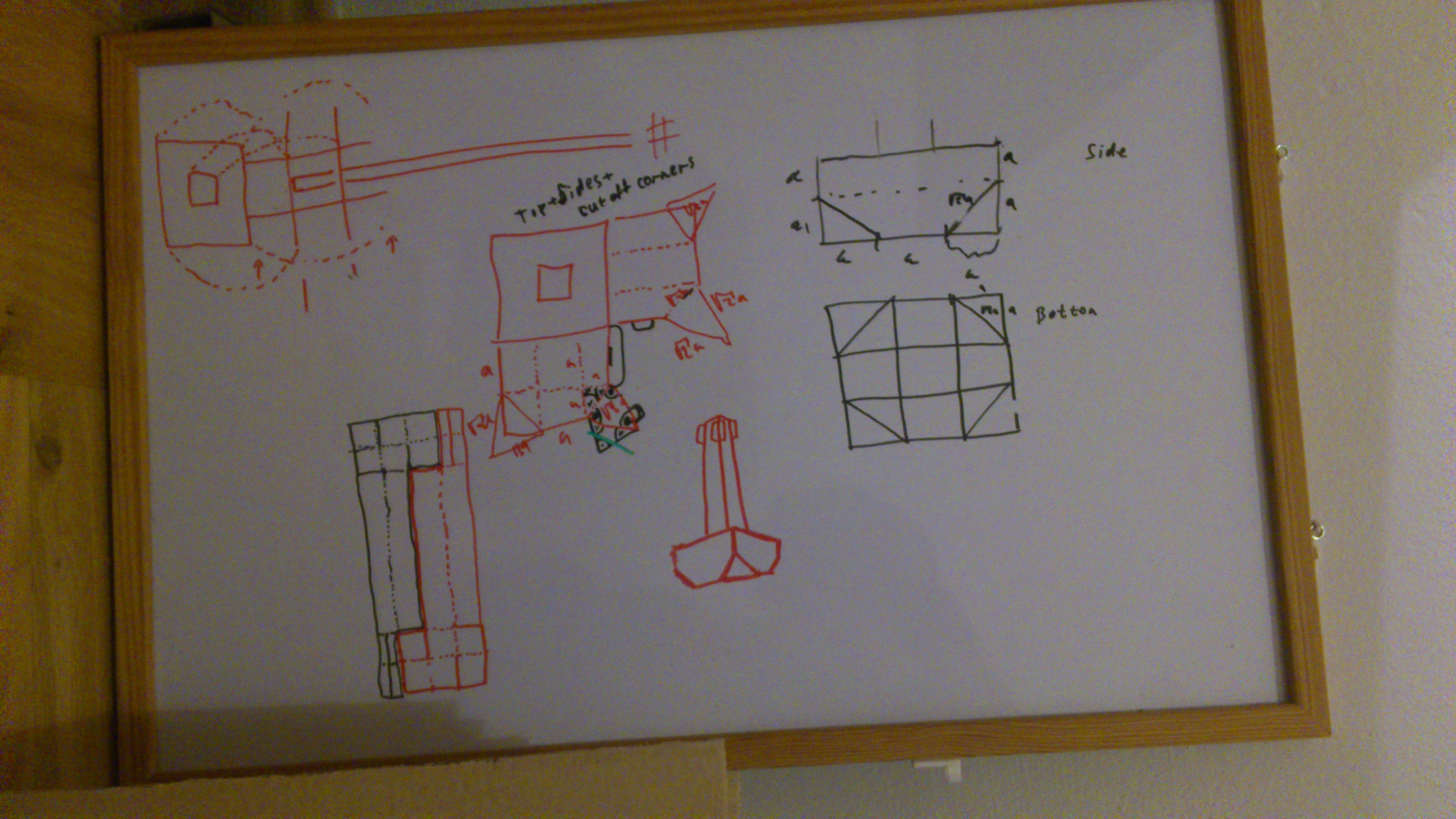
 First plans

2013-10-26 18.23.00

Yes.. it does look like a di*k. Everybody said that ;) And I’m gonna make two of them and hang my clothes on them. Funny enough. I actually did follow the original drawings practically without change all the way to the end.

Pillars

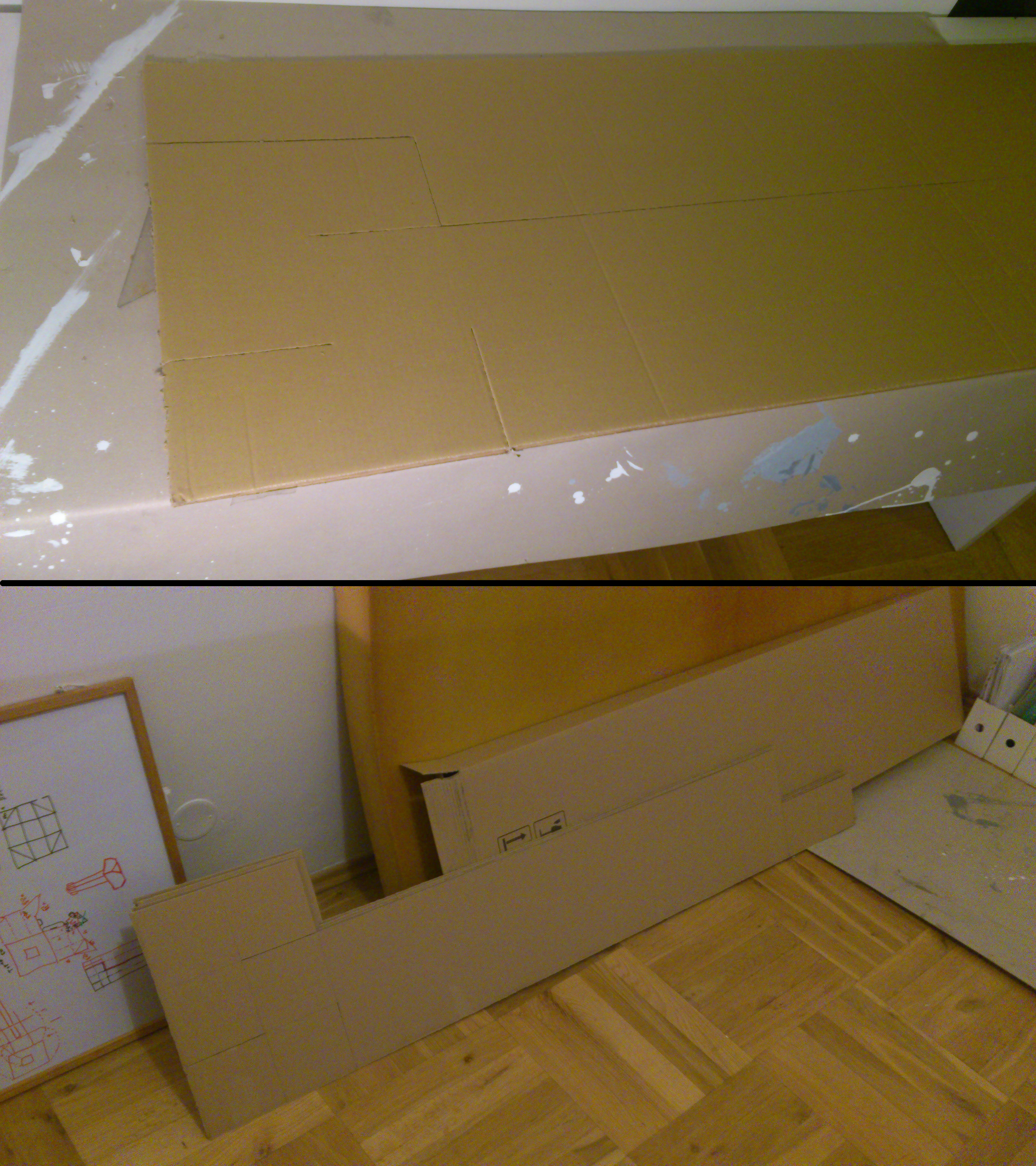
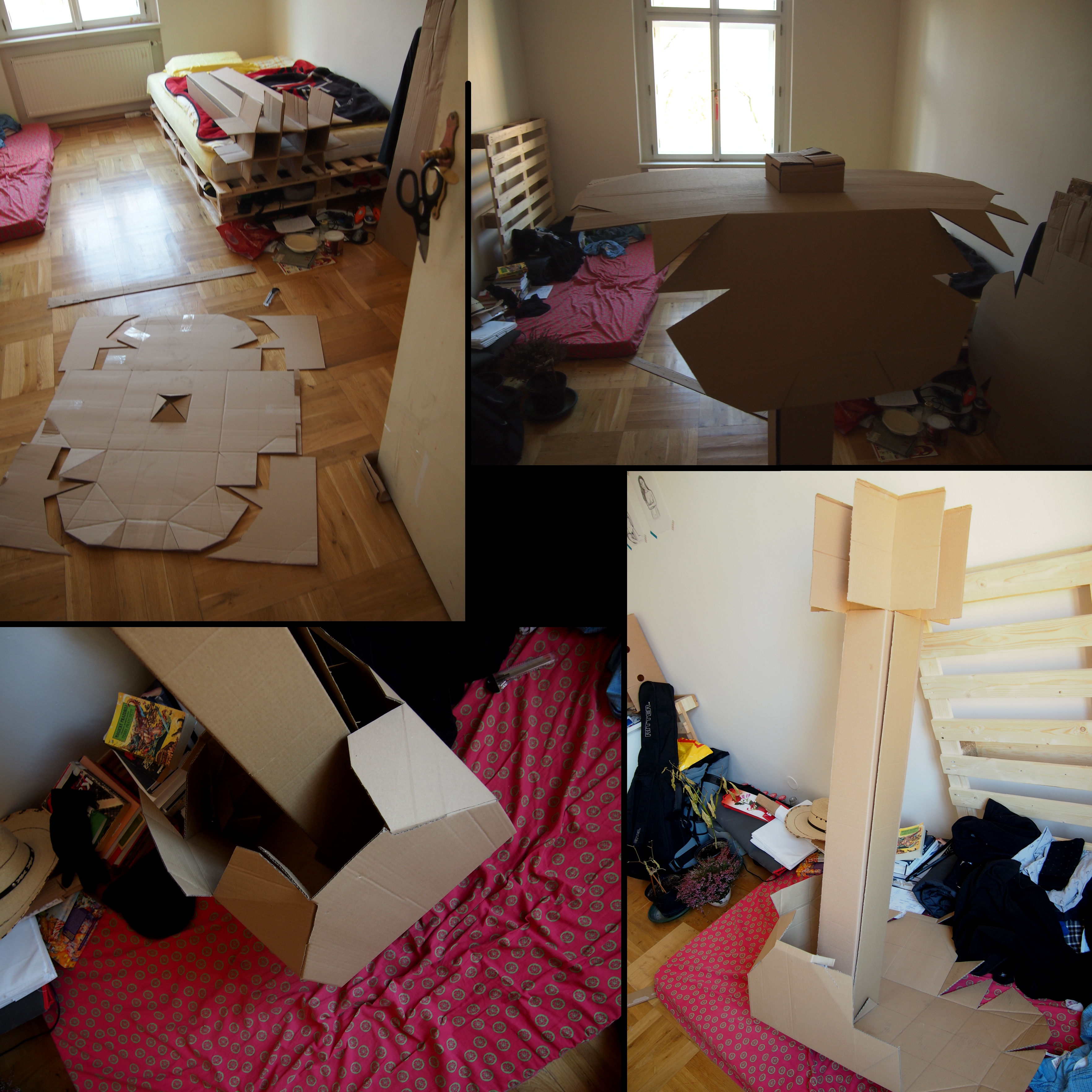
pillars-cutting

The pillars are made of four pieces of card on the picture above. Each piece is bended along it’s (almost) whole length to make a corner of the pillar. At the bottom they’re scissoring, each one with it’s two neighboring sides.

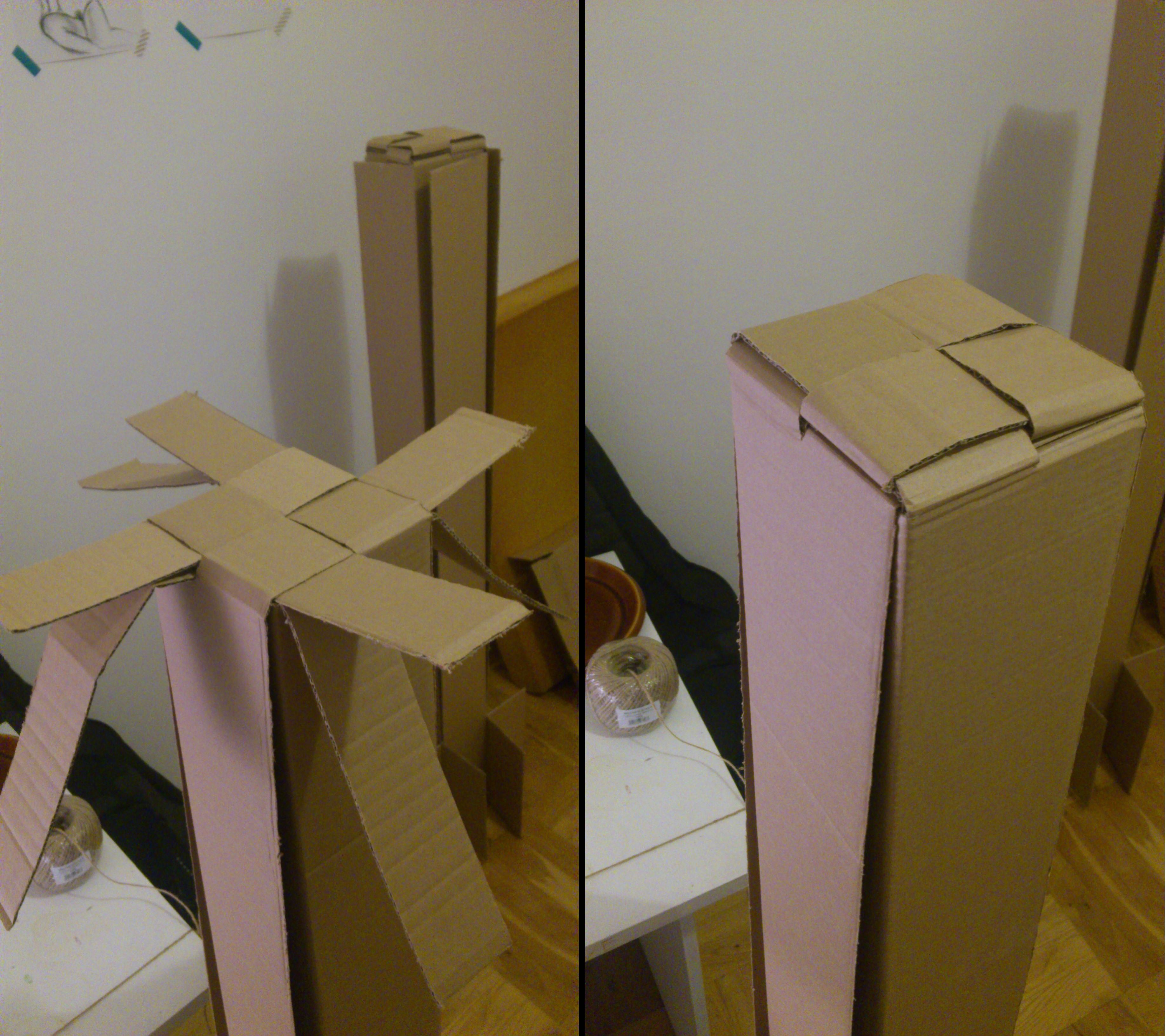
top-assembling

The top is tied together. This pillars are, on their own, strong enough to hold the clothes, but the bottoms are ugly, susceptible to damage, and tend to fold under the weight. Thus the necessity of covering boxes.

Boxes

OLYMPUS DIGITAL CAMERA

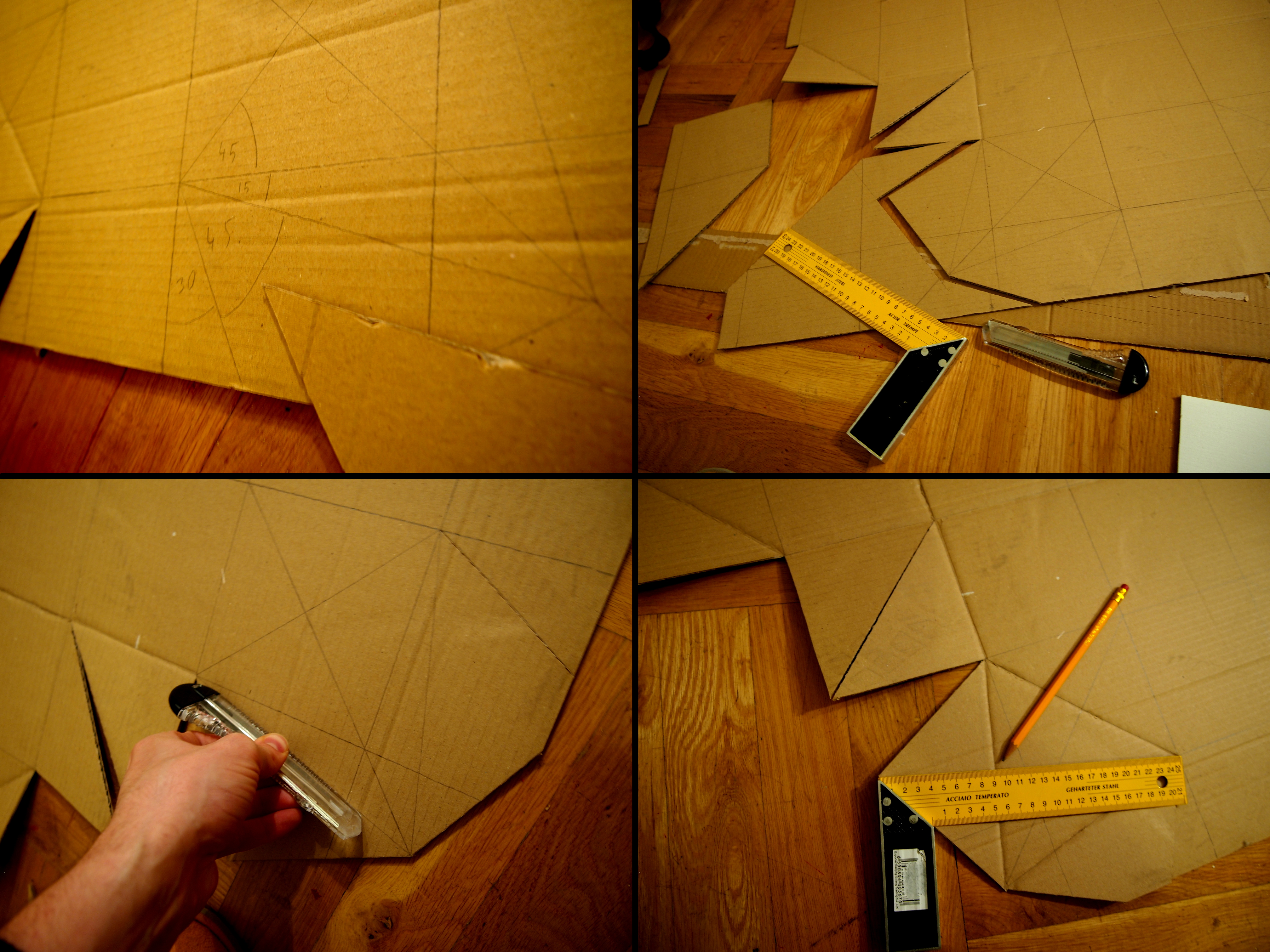
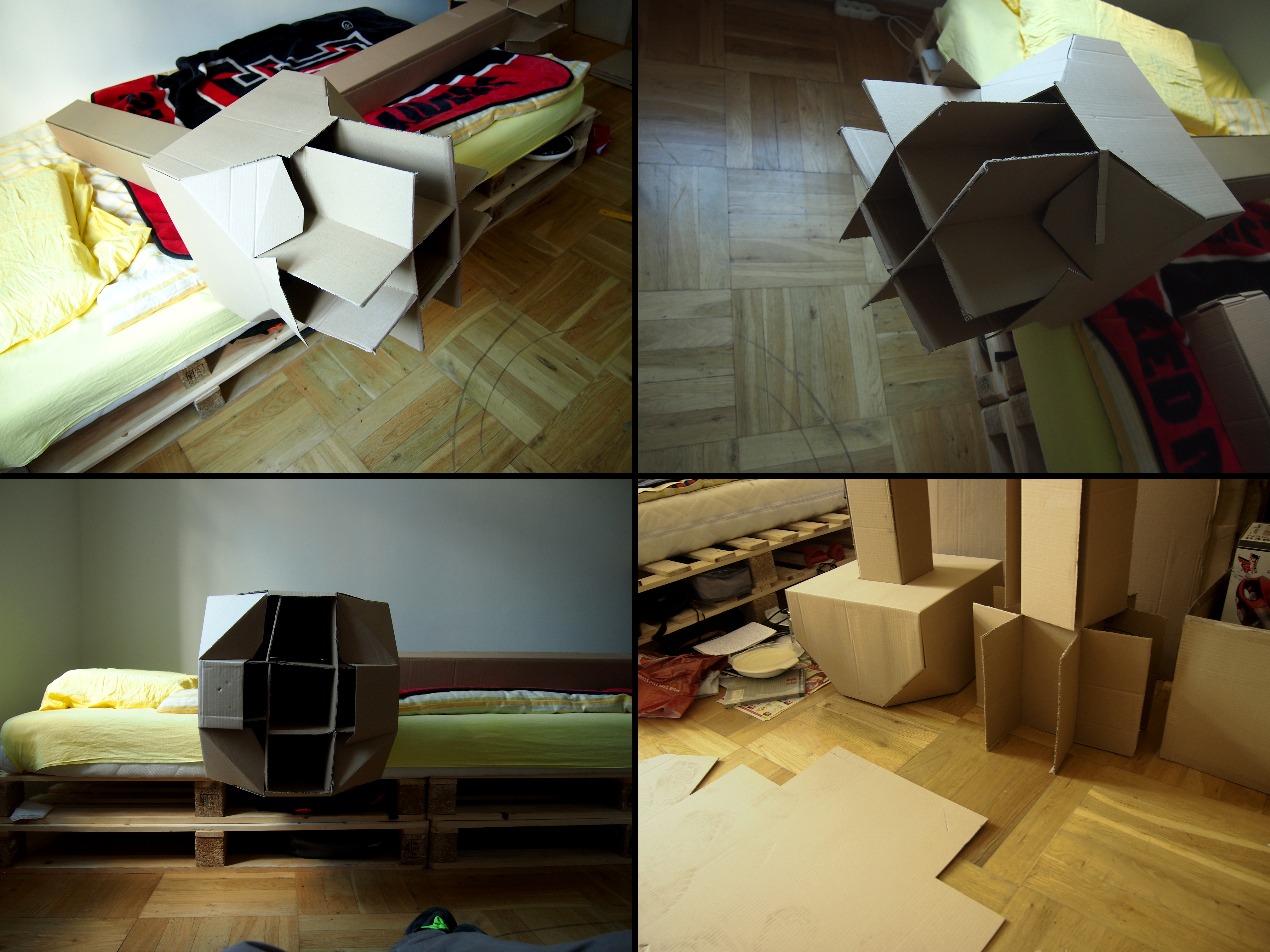
in order to make it more fancy as well as somewhat easier to walk and manipulate around it the cut off corners were taken into the design. they also supports the stability as they limit the bottom parts of the pillars.. at least a bit

OLYMPUS DIGITAL CAMERA

making the locking of cut off corners.. it’s trivial but holds strong enough.

OLYMPUS DIGITAL CAMERA

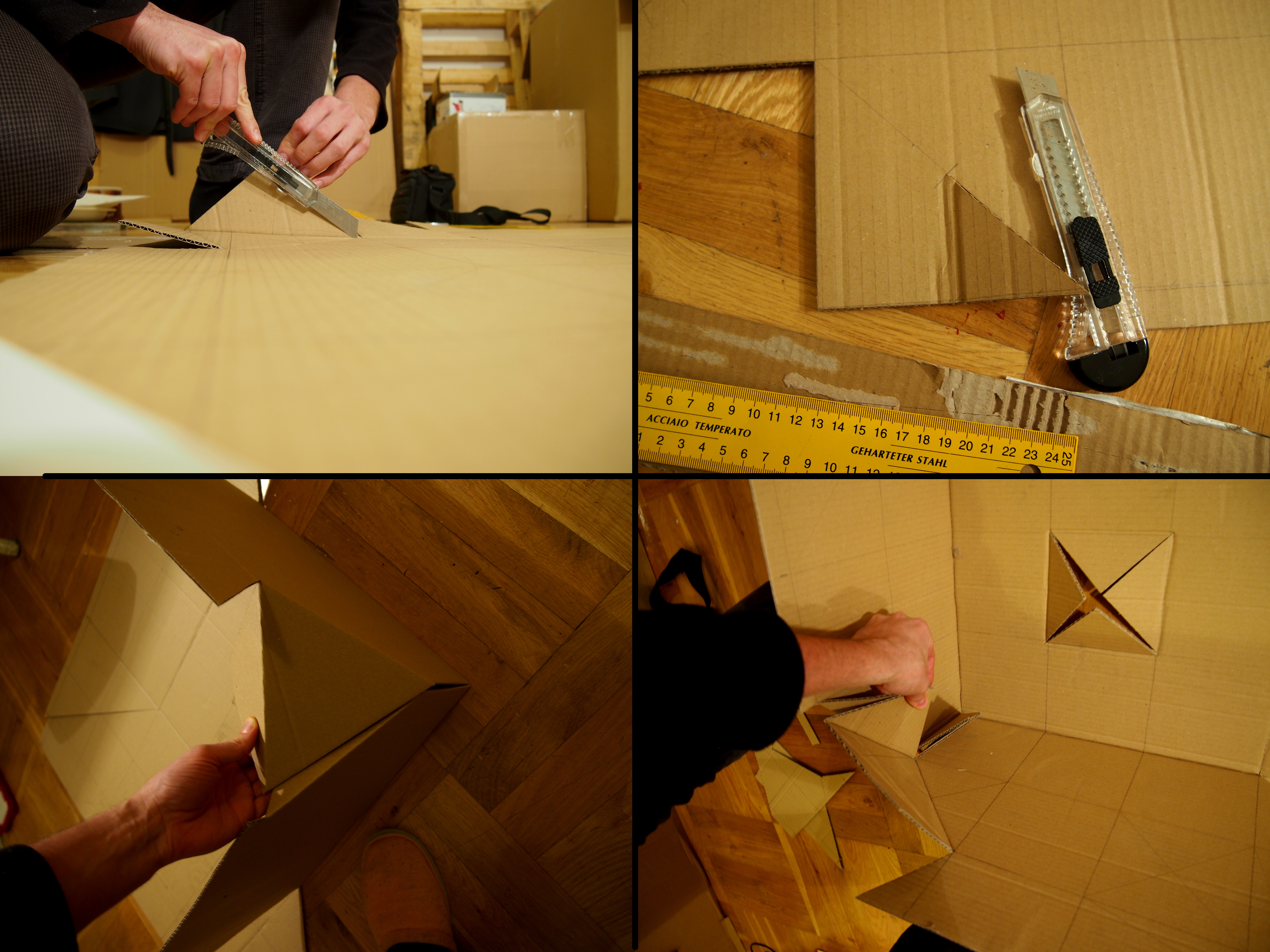
carbon-copy-cutting the second box, penetration, assembling the box…

OLYMPUS DIGITAL CAMERA

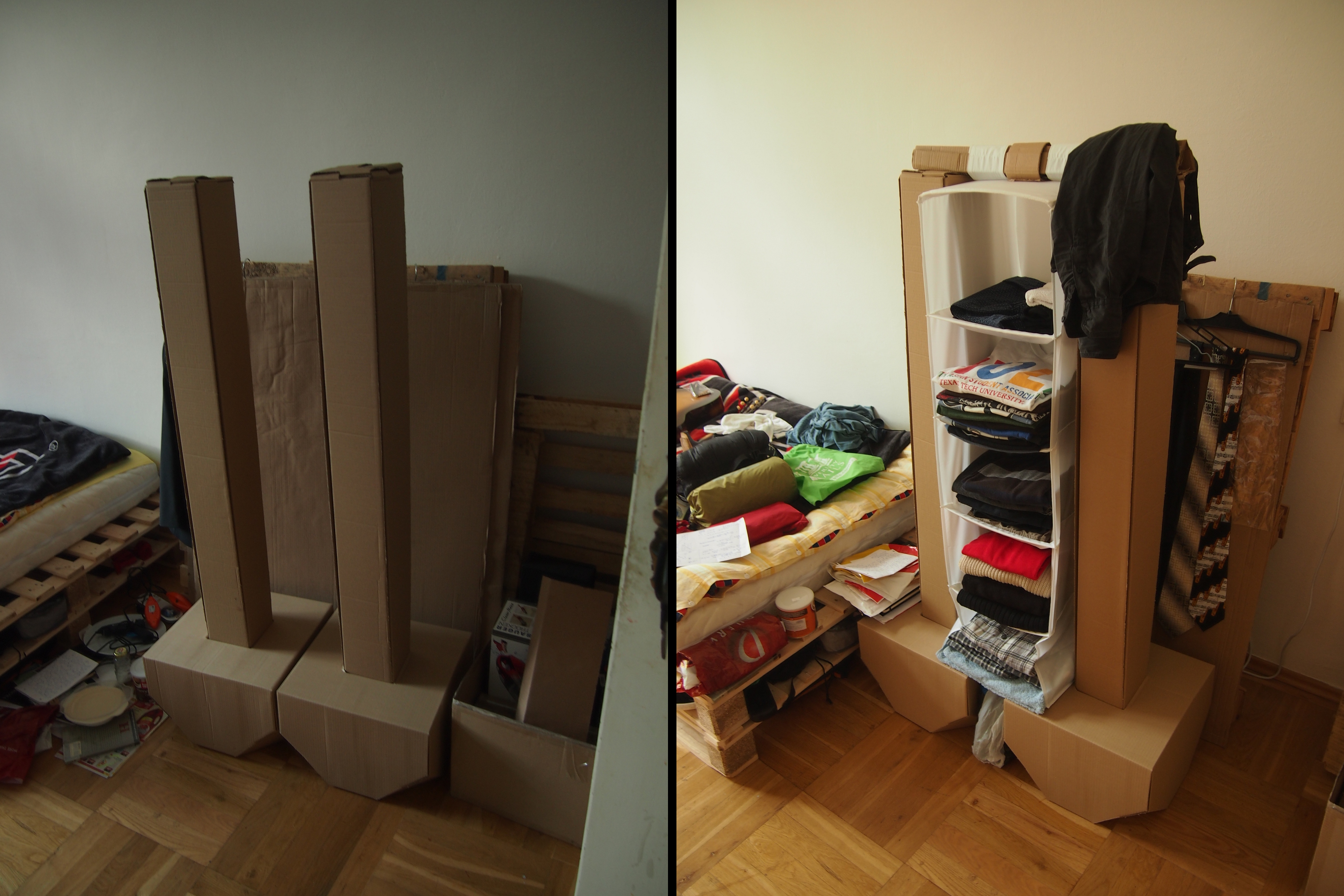
you can assembly boxes outside and then just slide them onto pillars.. make sure there is some spare card that makes up the “bottom”. also see the comparison with and without the box

OLYMPUS DIGITAL CAMERA

pure and staffed final product ;)